Symptom
When attempting to install a product or update from Native Access, the following error message appears:
Downloading Driver failed: Could not write to the temp directory.
Solution
- Close Native Access.
- Open a File Explorer window.
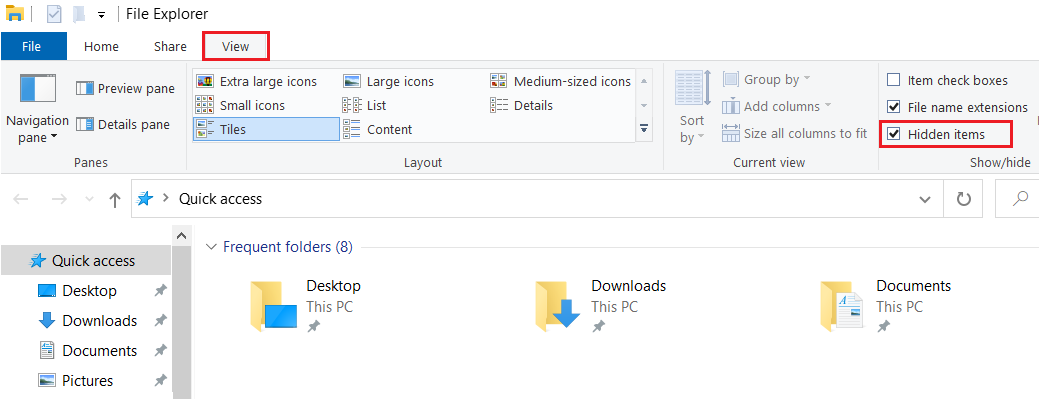
- Navigate to the View tab at the top of the window.
- Enable the Hidden items option to make hidden files and folders visible.
- Delete the following file:
C:\.native-instruments.tmp
The installation will now work correctly when you try it again via Native Access.