Follow the steps below if you want to cancel the Transfer of your NI product after having received the confirmation e-mail containing your License Transfer ID:
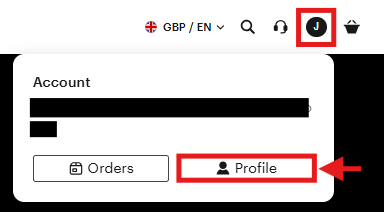
- Go to the Native Instruments website, click the user icon in the upper right, and select Profile. Log in if prompted.
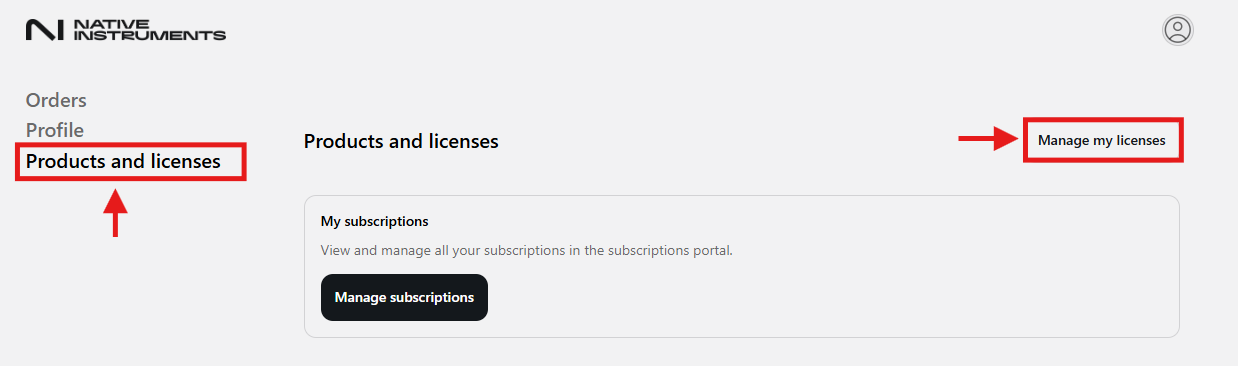
- Go to the Products and licenses tab
- Select Manage my licenses
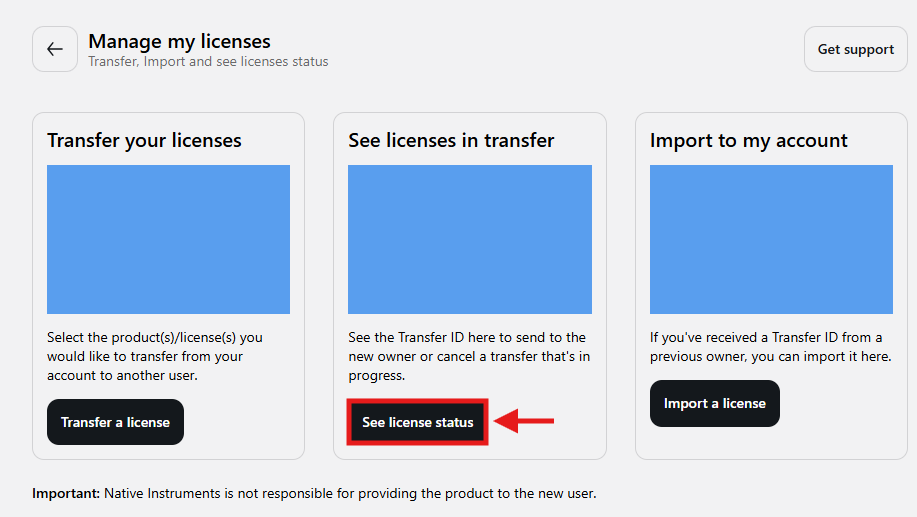
- Under the Manage my licenses hub, select See license status
- Locate the Transfer ID related to the product you've recently transferred
In the example below, we will be deleting the Komplete Kontrol transfer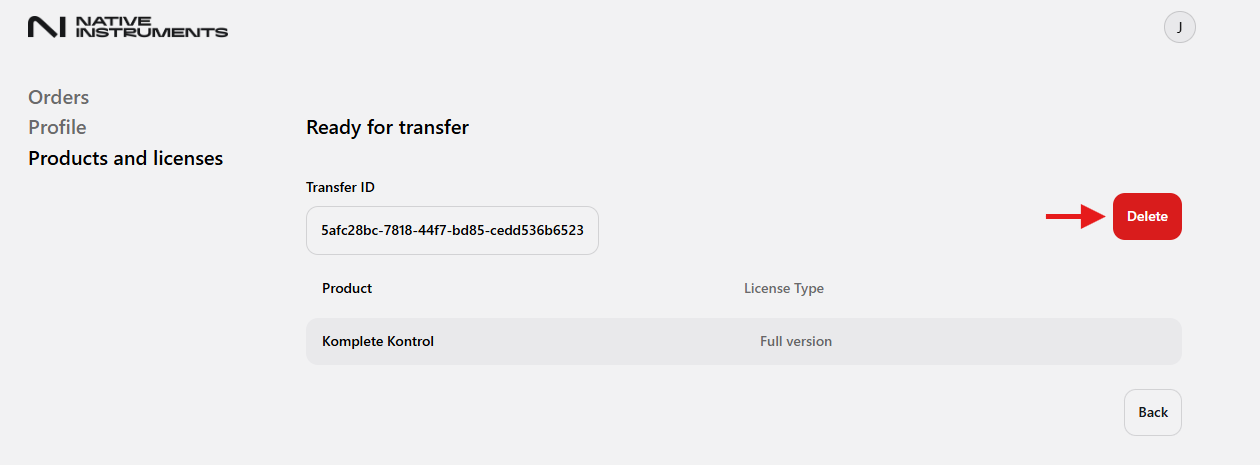
- Once located, select the Delete icon.
Important Note: You can only cancel a Transfer if the buyer has not yet imported the Transfer ID to his account. - The page will update and show any remaining transfers. If none are present, you will be notified "No active transfer were found"
- Once completed, the products will be linked back to your own NI user account.