Note: In this article, we are referring to e-vouchers that are being granted after NI product registrations. The terms & conditions of other NI e-vouchers may vary.
Receiving your E-Voucher Code
Once your product has been registered, you will receive a confirmation e-mail stating that your e-voucher can now be redeemed. This email includes the e-voucher code. If you cannot find the e-mail after the registration, please also check your Spam folder. Please note that it may take up to 48 hours after registration to receive your e-voucher.
- Please register your hardware product.
- You can register your software product by installing it with Native Access.
Which products can I purchase with my E-Voucher?
Your e-voucher is valid for all Native Instruments software downloads available in the NI Online Shop. It is not valid for the following products:
- Updates, Upgrades, Crossgrades
- Hardware products
- NKS partner products
- Subscriptions
- Educational licenses
- Products that are part of a special offer
If you've tried purchasing any of the products above with your e-voucher, please choose a different product. There are a few more exceptions. Please check the full E-Voucher Terms & Conditions.
Redeeming your E-Voucher
After you add a product to your shopping cart, you can enter your e-voucher code and redeem it:
- Log in to your NI account.
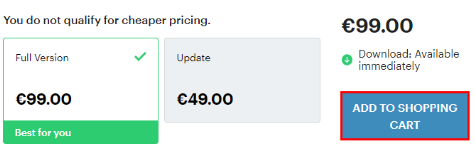
- On the product's pricing page, click ADD TO SHOPPING CART:
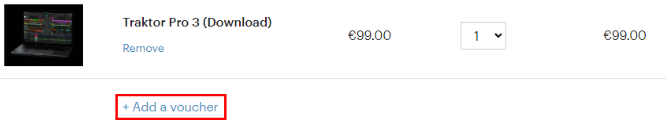
- Click Add a voucher:
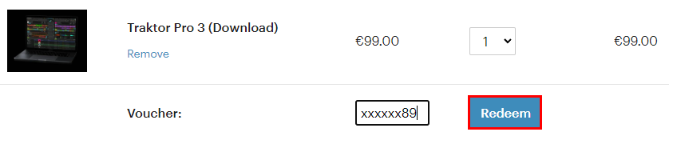
- Enter your e-voucher code and click Redeem:
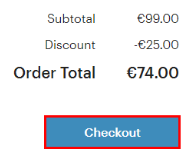
- Now the e-voucher has been added to the shopping cart and the Order Total has been reduced. Click on Checkout to proceed with your payment details.