TRAKTOR KONTROL | The First FX Button On My Controller Does Not Work
You may find that there is no reaction when you press the first (left-most or top-most) button on an FX section of your TRAKTOR KONTROL controller (e.g. TRAKTOR KONTROL S8 / S4 / X1).
This happens when the FX Unit is set to Group mode. In Group mode, there are only three control buttons, each switching an individual effect on and off. The left-most button has no function, as indicated by its absence in the software interface.
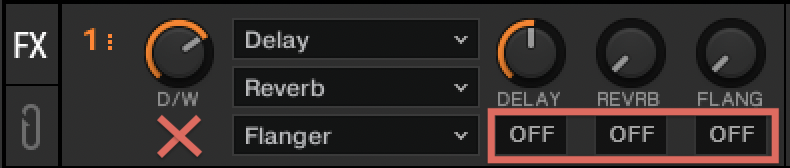
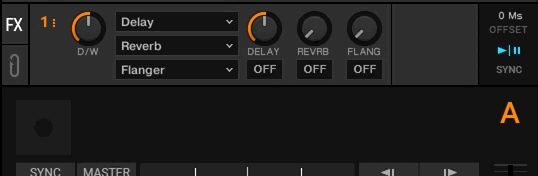
Note: If you do not see the FX Unit in the TRAKTOR software, you can enable the option Show Global Section in the TRAKTOR Preferences > Global Settings.
To resolve this, set the FX Unit to Single mode. In Single mode, the left-most button (ON) switches the effect on and off while the other three buttons / knobs control individual parameters of the effect.
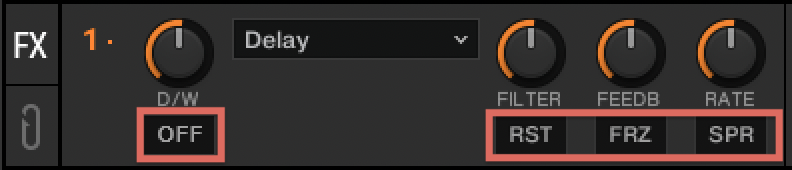
You can switch between Single and Group mode by doing any of the following:
1. Click on the number of the FX Unit and select Single or Group from the drop-down menu.
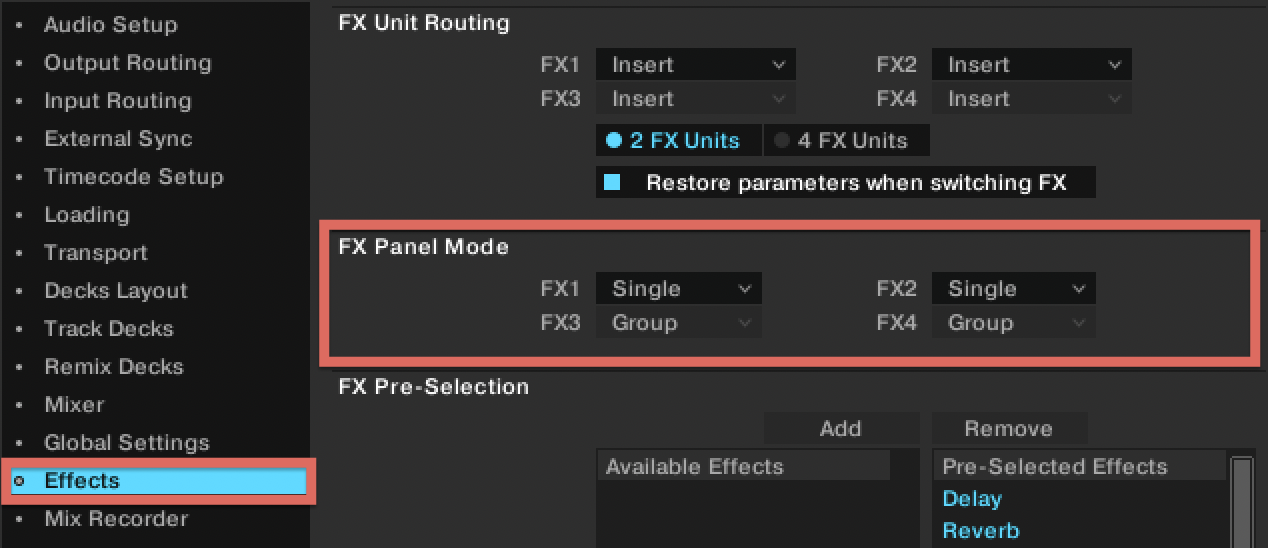
2. Select Single or Group under FX Panel Mode in TRAKTOR Preferences > Effects.
3. Switch between Single or Group directly from your TRAKTOR KONTROL controller. Please consult your controller's user manual to learn how to toggle between FX Panel modes.