My Komplete Kontrol Shows No NKS Smart Play or Mapped Features
Symptom
When launching Komplete Instruments such as Massive, Reaktor, or Kontakt Libraries, there are no NKS Smart Play features displayed on the Komplete Kontrol S-Series Keyboard (e.g. Arpeggiator, Light-Guide, pre-mapped parameters, etc).
Cause
The NKS Smart Play features of the Komplete Kontrol S-Series Keyboard are available only when using your keyboard with the Komplete Kontrol software. When running individual NI software instruments (e.g. Reaktor, Kontakt, Massive, etc.), the Komplete Kontrol hardware operates only in general MIDI mode.
Solution
Open and use all Komplete instruments within the Komplete Kontrol software. All NKS Compatible instruments and library content included with the Komplete bundle can be loaded from the Komplete Kontrol browser.
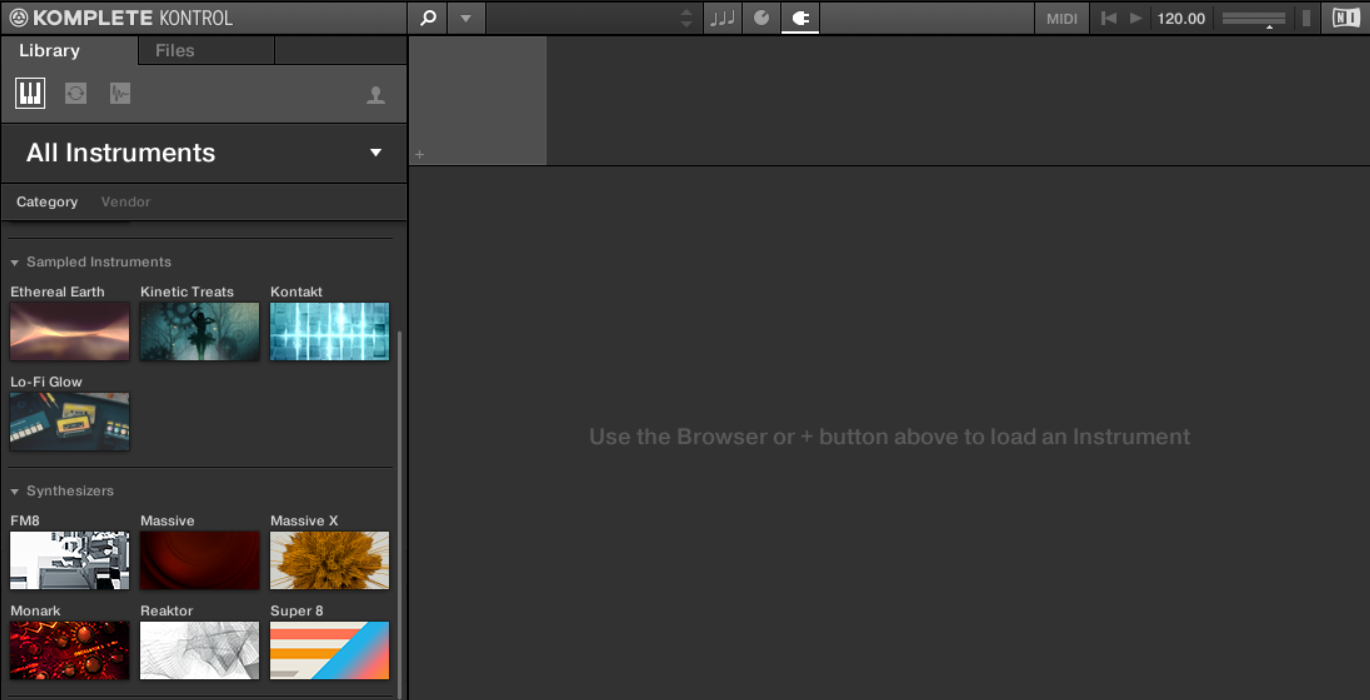
If the NKS features are still not functioning when using your keyboard with the Komplete Kontrol software, please check the following article: My Komplete Kontrol keyboard does not start : inMusic Support