Sending USB and 5-Pin MIDI Simultaneously from Komplete Kontrol S-Series Keyboards
In this article, we explain how to set your Komplete Kontrol S-Series keyboard to control an external MIDI device (e.g. hardware synthesizer or sound module) and also software instruments on your computer.
For this setup, you'll need a 5-pin MIDI cable, a direct USB connection to your computer, and a third-party MIDI routing app.
Important: This article links to third-party tools which are not related to Native Instruments. These have been tested but we can not fully guarantee their functionality on all computers.
TABLE OF CONTENTS
macOS
- Open this page and download the latest version of "Midi Pipe". (If you are on an older macOS, download the matching version.)
- Right-click the downloaded file MidiPipe.zip and select Open.
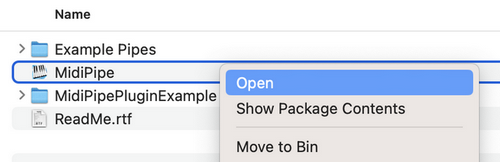
- Open the unzipped folder, right-click the file MidiPipe and select Open.
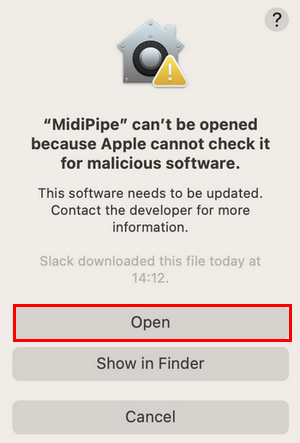
- If the following message appears, click Open:
- In the list on the left, double-click on MIDI In and then on MIDI Out.
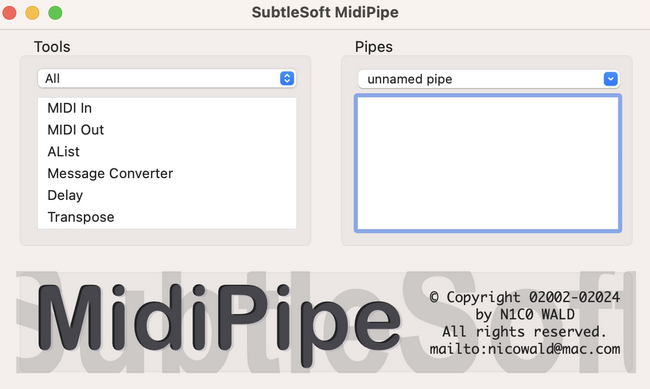
- Under Pipes, click on MIDI In and select the Main Kontrol device listing from the MIDI Input menu.
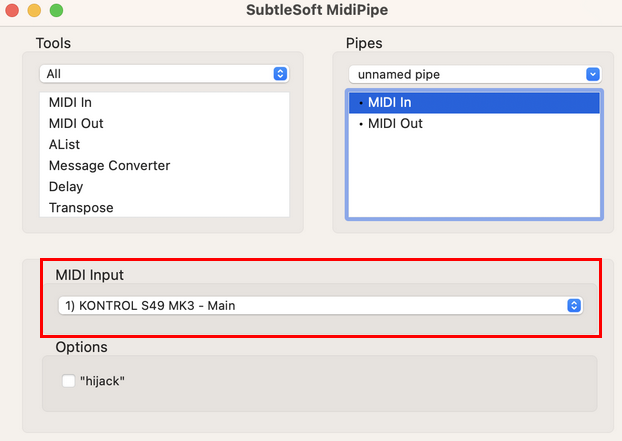
- Click the MIDI Out entry under Pipes and select the Ext Kontrol device from the MIDI Output menu.
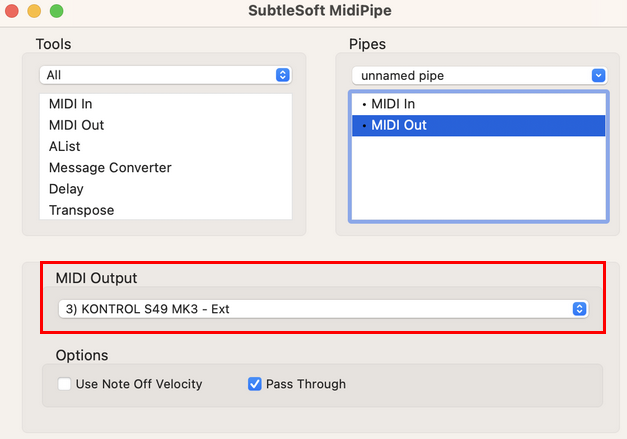
- On older Kontrol keyboards, please use:
- For MIDI Input, select Komplete Kontrol S-Series Port 1.
- For MIDI Output, select Komplete Kontrol S-Series Port 2.
Windows
Follow these steps to configure Komplete Kontrol with MIDI-OX on Windows.
- Download and install MIDI OX.
- Double click the MIDI OX app (midioxse.exe) to open it.
Note: Click Yes to allow Windows User Account Control to run MIDI-OX if prompted.
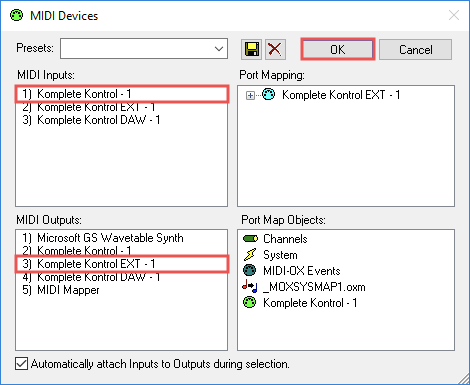
- Select Options > MIDI Devices in the menu bar.
- Under MIDI Inputs, select Komplete Kontrol - 1.
- Under MIDI Outputs, select Komplete Kontrol - EXT 1.
- Click OK when finished.
Komplete Kontrol Hardware Connections
- Verify that your Komplete Kontrol Keyboard is connected to the computer via USB.
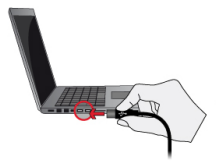
- Connect a 5-pin MIDI cable from the Komplete Kontrol Keyboard (MIDI Out) to your external MIDI device (MIDI In).
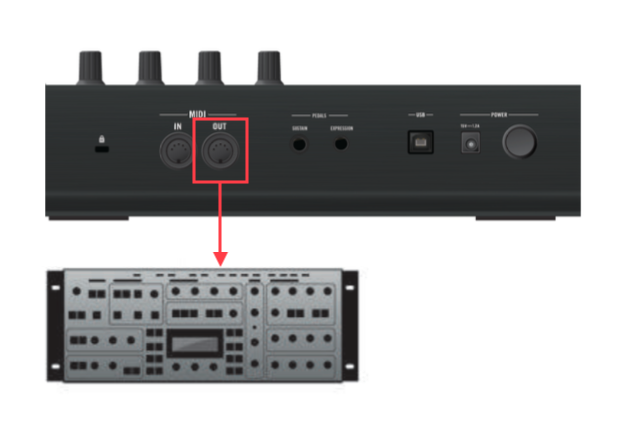
Your Komplete Kontrol S-Series keyboard will now control the external MIDI synthesizer and software instruments over the 5-Pin and USB MIDI Ports, respectively.