Please follow these steps to set a specific master tuning in Kontakt:
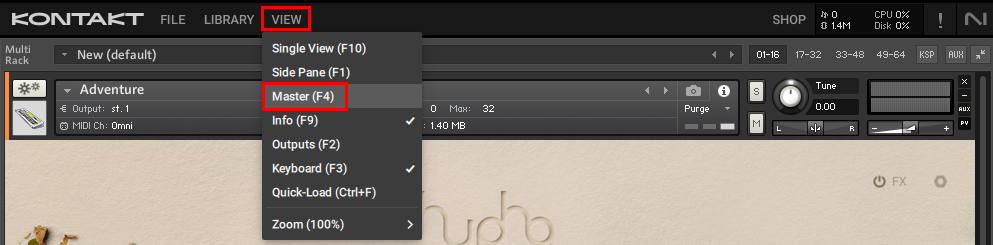
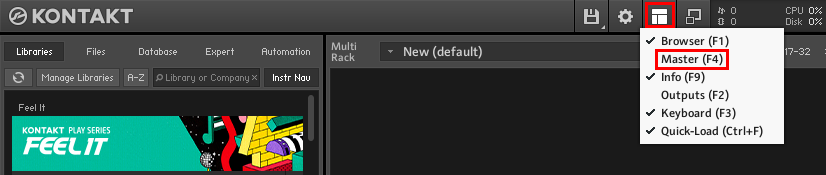
1. Start Kontakt and open the Master Editor.
- Kontakt 7 / 8:
- Kontakt 6:
2. Double-click on the number field below Tune, enter the desired frequency and hit Enter.
Please follow these steps to set a specific master tuning in Kontakt:
1. Start Kontakt and open the Master Editor.
2. Double-click on the number field below Tune, enter the desired frequency and hit Enter.