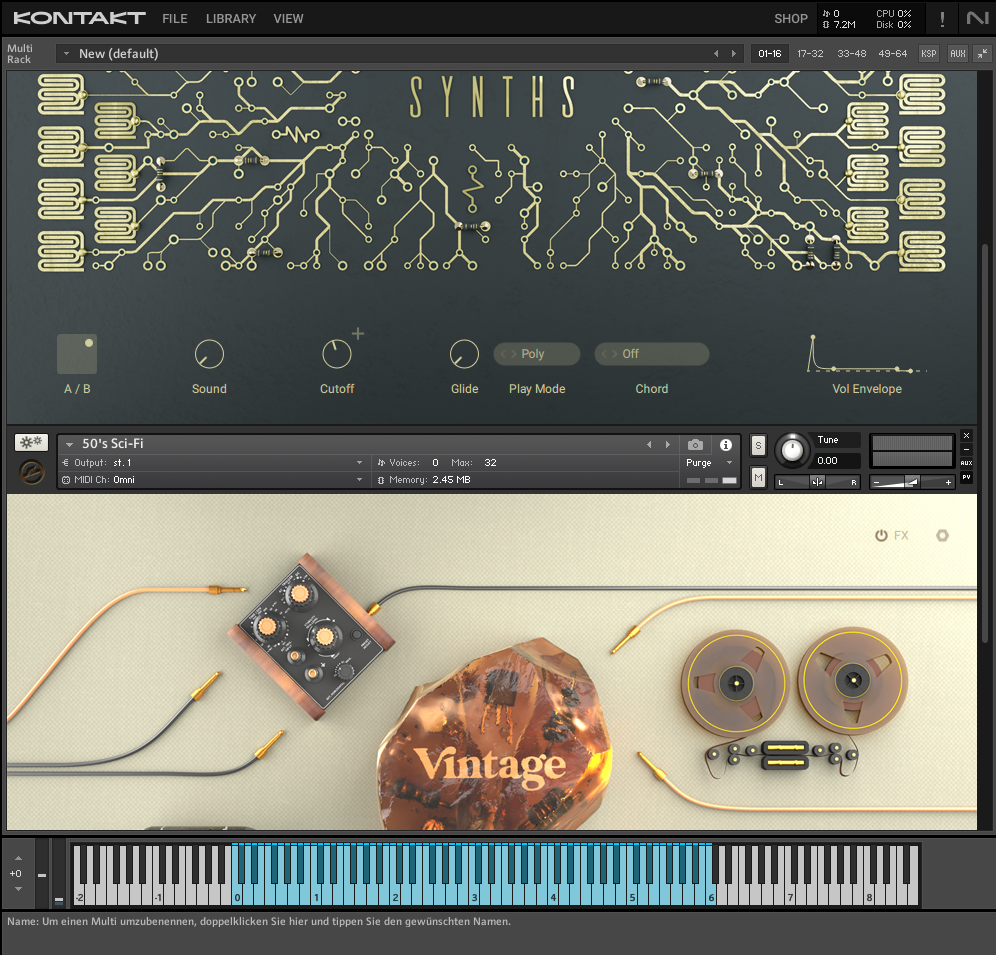
In Kontakt 7 / 8, you can create a Multi Instrument with up to 64 instruments in a Rack. Since Kontakt 7.7, the way to load multiple instruments into the Rack has changed. Here is the new workflow:
1. Click LIBRARY to open the Browser and double-click the preset you want to load:
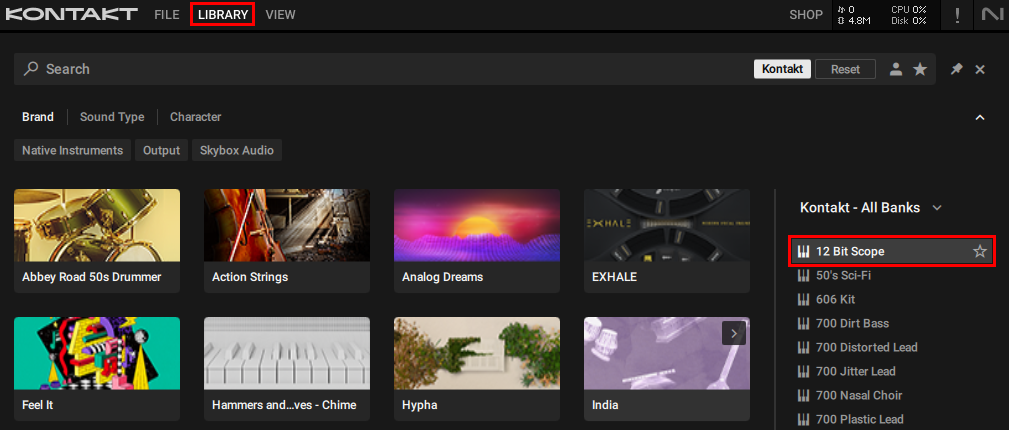
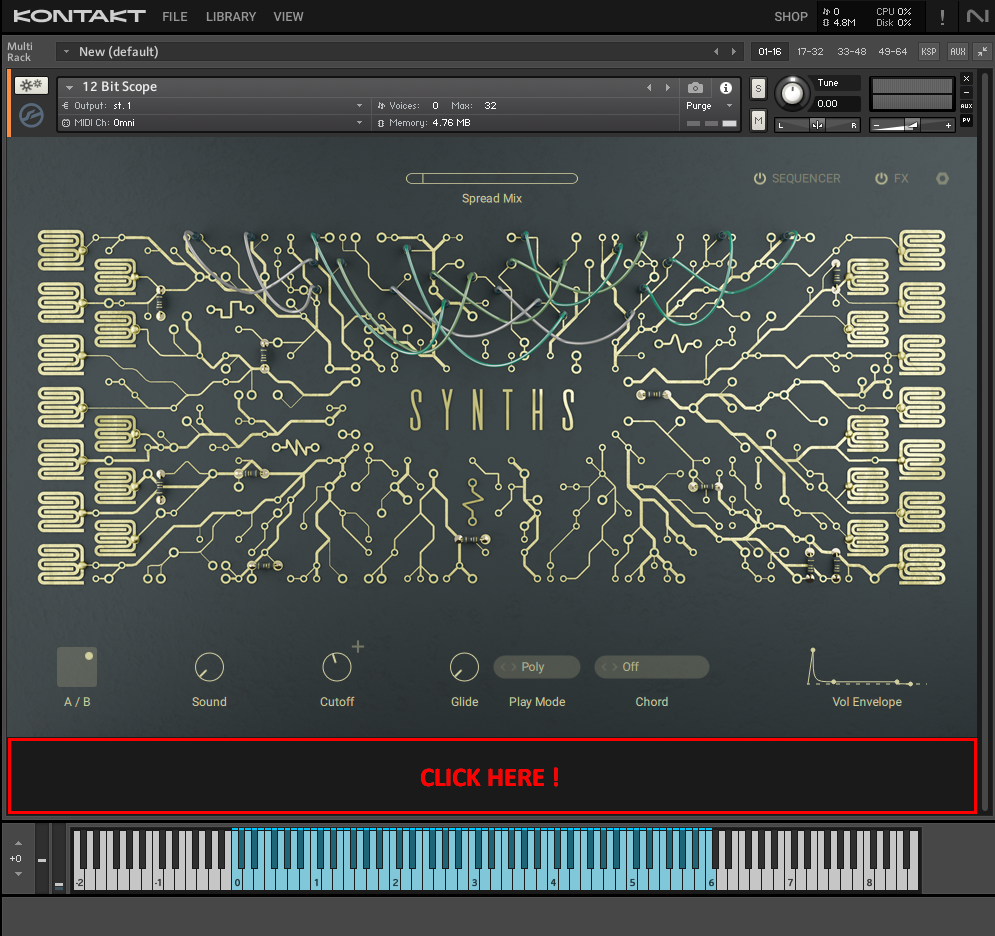
2. Click in the area below the actual instrument. This will make sure that the next instrument you load is added to the existing one (instead of replacing it):
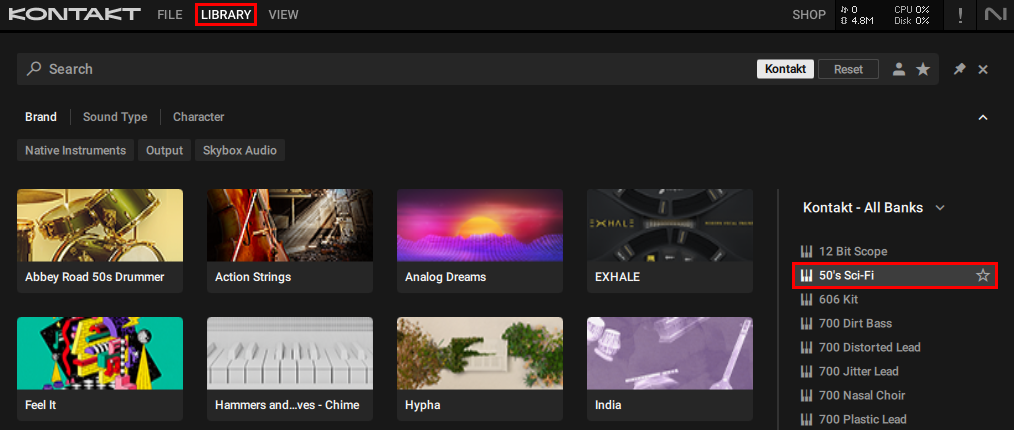
3. Click LIBRARY again, find another preset and double-click it:
4. Both instruments are now loaded in the same Rack: