Native Instruments | Where can I find my software serial number?
TABLE OF CONTENTS
- Where Can I Find My Software Serial Number?
- View Your Registered Products
- Find a Specific Serial Number
- Important Information About Registered Serials
- Purchased from a Third-Party Retailer?
Where Can I Find My Software Serial Number?
When you purchase a software product from the Native Instruments webshop, the serial number is automatically registered to your Native Instruments account. In most cases, you won't need to manually enter the serial number again.
View Your Registered Products
To see all products currently registered to your account:
1. Sign in to your Native Instruments account.
2. Navigate to your Profile.
3. Click on Products & Licenses to display all software and hardware registered to your account.
I Can't See My Serial Number?
Individual serial numbers are not displayed within your Native profile for security reasons.
Important Information About Registered Serials
Once a serial number has been registered to a Native Instruments account, it cannot be registered again on another account.
If you wish to give or sell your licence to another user, you must use the License Transfer feature available in your Native Instruments account. This process transfers ownership of the licence to the new user.
Purchased from a Third-Party Retailer?
If you purchased your software from a third-party retailer rather than directly from Native Instruments, the serial number is typically provided separately by the retailer, usually via email.
To activate the product:
1. Locate the serial number provided by the retailer.
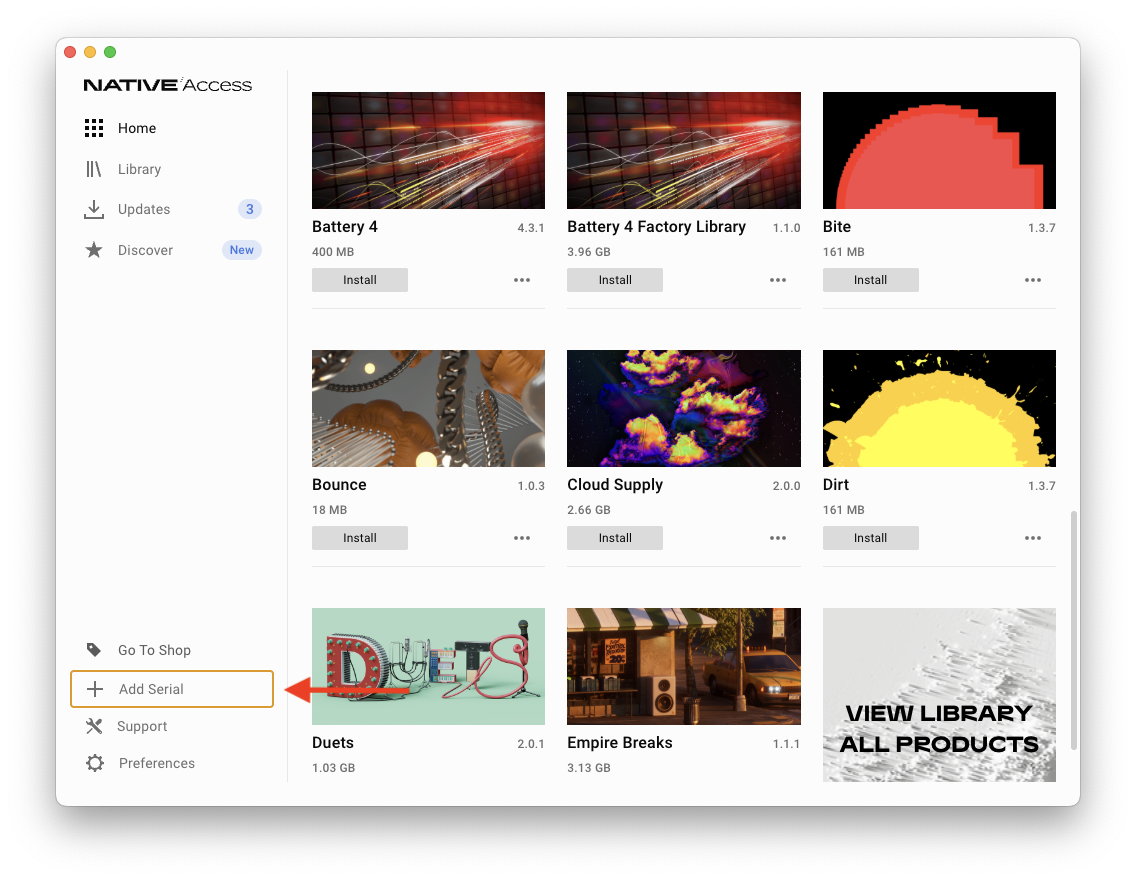
2. Open Native Access.
3. Click Add Serial
4. Enter the serial number
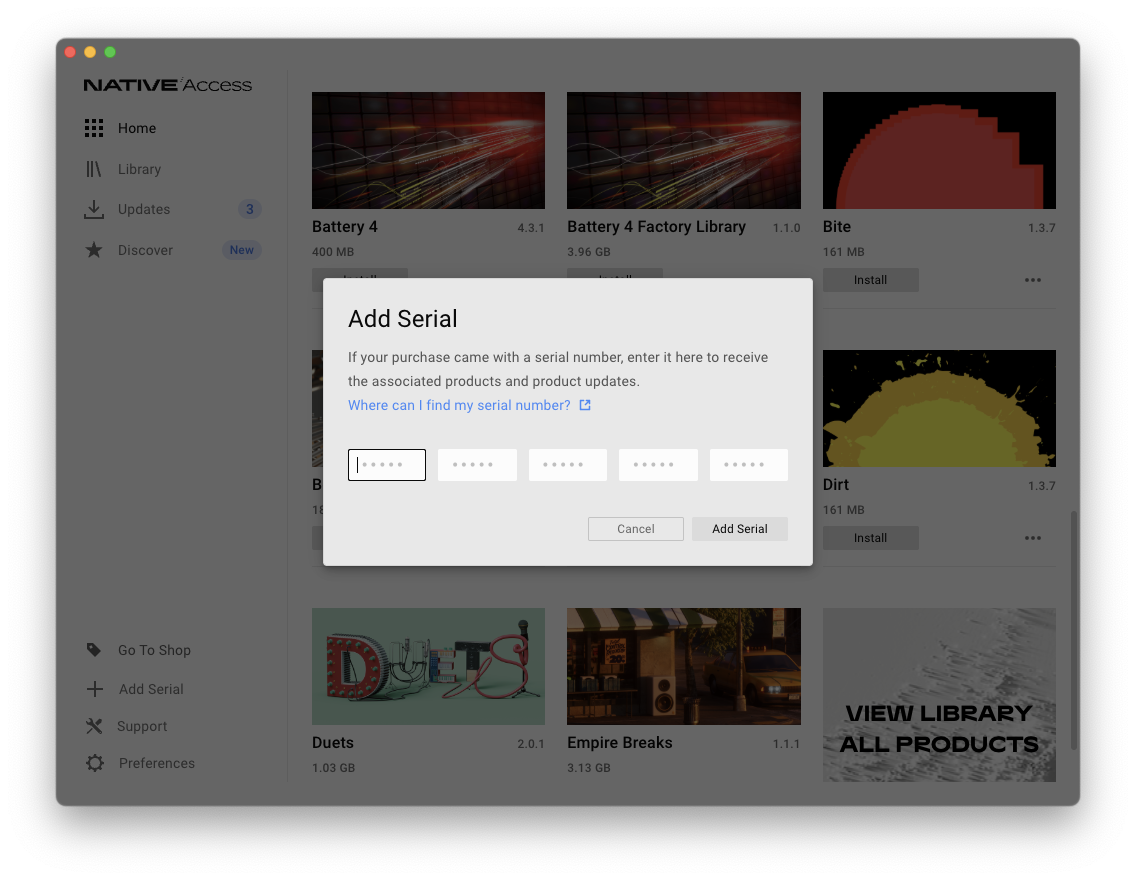
5. Click Add Serial
Register and activate the product using the supplied serial number.