TRAKTOR / SUPER 8 Appears in Demo Mode on Apple Silicon (M1)
Symptom
On Apple Silicon (M1) computers, TRAKTOR PRO 3 / SUPER 8 appear in demo mode after being installed via Native Access 2.
Solution
Our developers are working on a solution. In the meantime, please do the following:
- Downgrade to Native Access 1 (original version) as explained in this article.
- Once Native Access 1 has been installed, navigate to the following directory:
- Macintosh HD > Users > Shared
- Macintosh HD > Users > Shared
- Delete the "Native Instruments" folder.
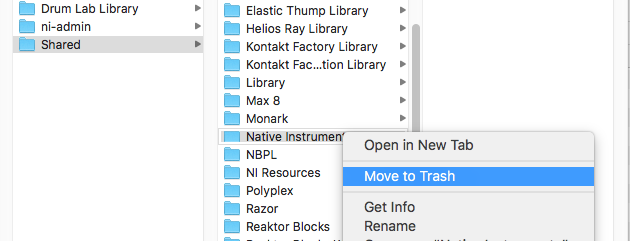
- Now, restart Native Access 1.
Now when you open TRAKTOR PRO 3 or SUPER 8, they will activate correctly.