Native Access Error Message: "Download Failed: Please Check Your Internet Connection" (Windows)
Symptom
On a Windows computer, Native Access displays the following error message when attempting to self-update upon launching:
No compatible update found. Download failed. Please Check Your Internet Connection and try again.
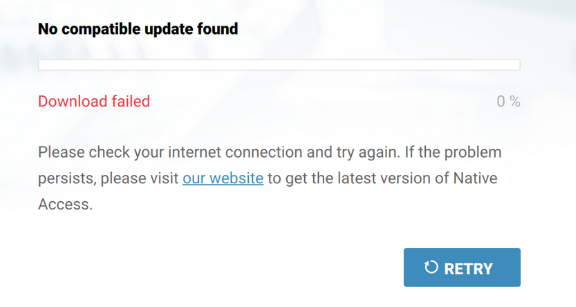
The error may also appear with the information:
- No compatible update found
- Failed to download the latest Update
- Searching for the latest Update
Cause
This error is in most cases caused by unsupported proxy configurations.
Solution
The steps below show how to resolve the error:
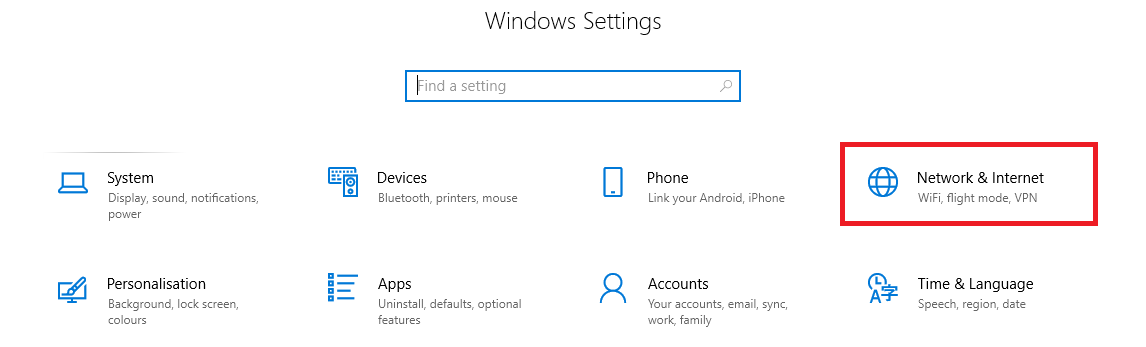
- Open your Windows Settings by pressing Windows+I on the keyboard.
- Choose the option Network & Internet.
- Click on the Proxy tab and disable the option Automatically Detect Settings.
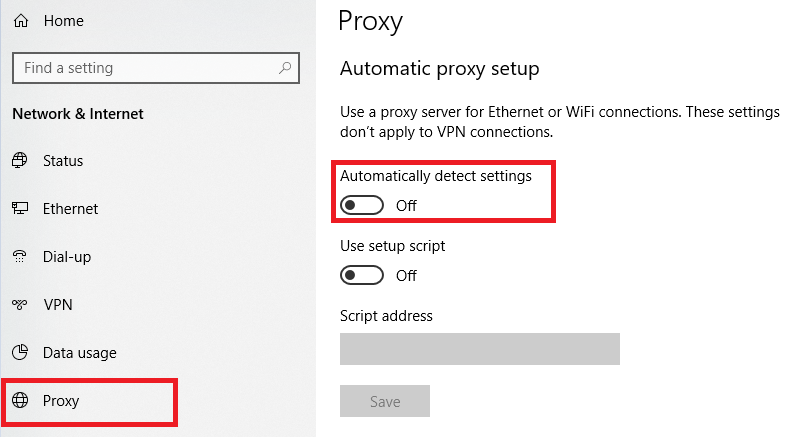
- Start Native Access again. It will now self-update successfully.