How to Uninstall Native Instruments Software from a Windows Computer
You can uninstall all products from Windows Settings > Apps. For content products (like Kontakt libraries, Expansions, etc.) we recommend using the uninstall function in Native Access. Here are more details:
Uninstalling via the Windows Settings:
- Click the Windows Start Button > Settings > Apps > Apps & features.
- Find the app you want to remove, highlight it and select More > Uninstall.
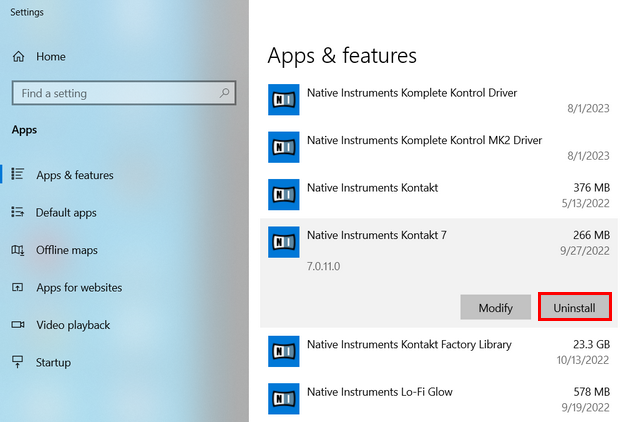
Native Instruments products can be found under "Native Instruments *product name*".
Most iZotope products can be found under "iZotope *product name*". If you cannot find it in the list, please search for the product name only. - IMPORTANT: If you are using Native Access 3.10.3 (or higher), please also delete the following file:
C:> Users > Public > Public Documents > Native Instruments > installed_products > *Product Name*.json
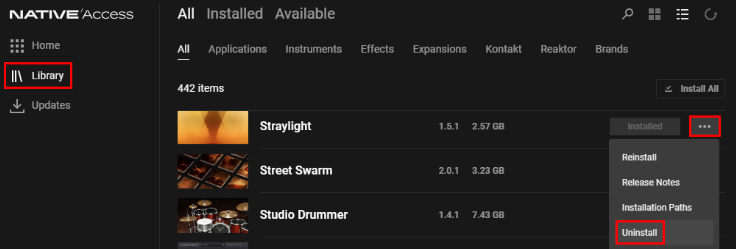
Uninstalling content products in Native Access:
With Native Access 3.6 (and higher), content products (like Kontakt libraries, Expansions, etc.) can be uninstalled directly from the Library tab. Click the 3 dots on the right-hand side of the product entry and select Uninstall.