I Hear an Unexpected Piano Sound when Playing my MIDI Keyboard (Windows)
Symptom
While playing a Native Instruments application like Kontakt or Komplete Kontrol with your MIDI keyboard on a Windows computer, you hear an additional piano sound with the sound generated by the NI application.
Cause
The Microsoft GS Wavetable Synth is activated as MIDI output in your Native Instruments application.
Solution
Deactivate the Microsoft GS Synth in the MIDI output preferences of your Native Instruments application.
Kontakt
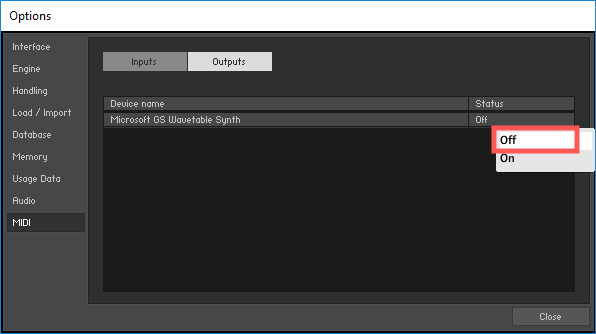
- Go to File > Options > MIDI > Output.
- Set the Status of the Microsoft GS Wavetable Synth to Off.
Komplete Kontrol
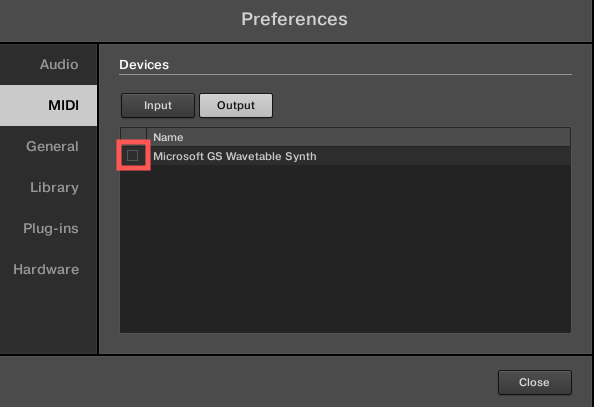
- Go to Edit > Preferences... > MIDI > Output.
- Uncheck the Microsoft GS Wavetable Synth.