In some cases, you may wish to stop the playback of one sample (e.g. open hi-hat) by triggering another sample (e.g. closed hi-hat). This technique is commonly referred to as "hi-hat choking", and is meant to simulate the behavior of a real hi-hat on a physical drum kit.
Follow these instructions to configure a group of Battery 4 Cells for this kind of sample triggering.
- Load a Closed Hi-Hat sample into one Cell.
- Load an Open Hi-Hat sample into another Cell.
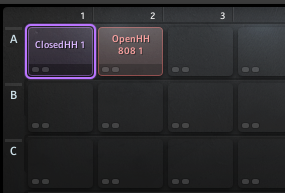
- Select the Cell containing the Closed Hi-Hat and go to the Setup tab.

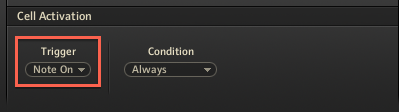
- In the Cell Activation section, make sure the Trigger parameter is set to Note On.
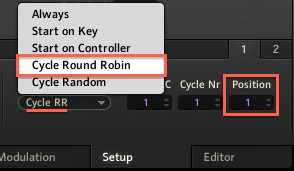
- Set the Condition parameter to Cycle Round Robin, and set the Position parameter to 1.
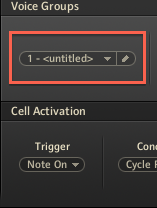
- In the Voice Groups section, assign both cells to a new voice group (e.g. 1 - <untitled>).
Note: Both Cells must be assigned to the same new Voice Group. You have the option to name the new voice group.
- Set the Voices number to 1.
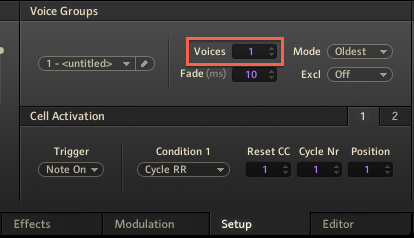
Now, alternate the playback of these Cells containing the Open and Closed Hi-Hat. The sound from the Closed Hi-Hat Cell will now interrupt the sound of the Open Hi-Hat Cell.