Maschine 3.7 is a free update for all Maschine 3 owners and is available now in Native Access.
This update adds four creative sequencing tools that make it easier to generate new ideas, add movement to existing patterns, build rhythmic grooves, and bring more variation into your music.
This article gives you a quick overview of what’s new and explains how each feature works, so you can start using the new tools right away.
TABLE OF CONTENTS
- Note Generation (Random mode)
- Variations
- Euclidean Sequencer
- Note Probability
- Distribution settings (Even / Natural / Skewed)
- Frequently Asked Questions
Note Generation (Random mode)
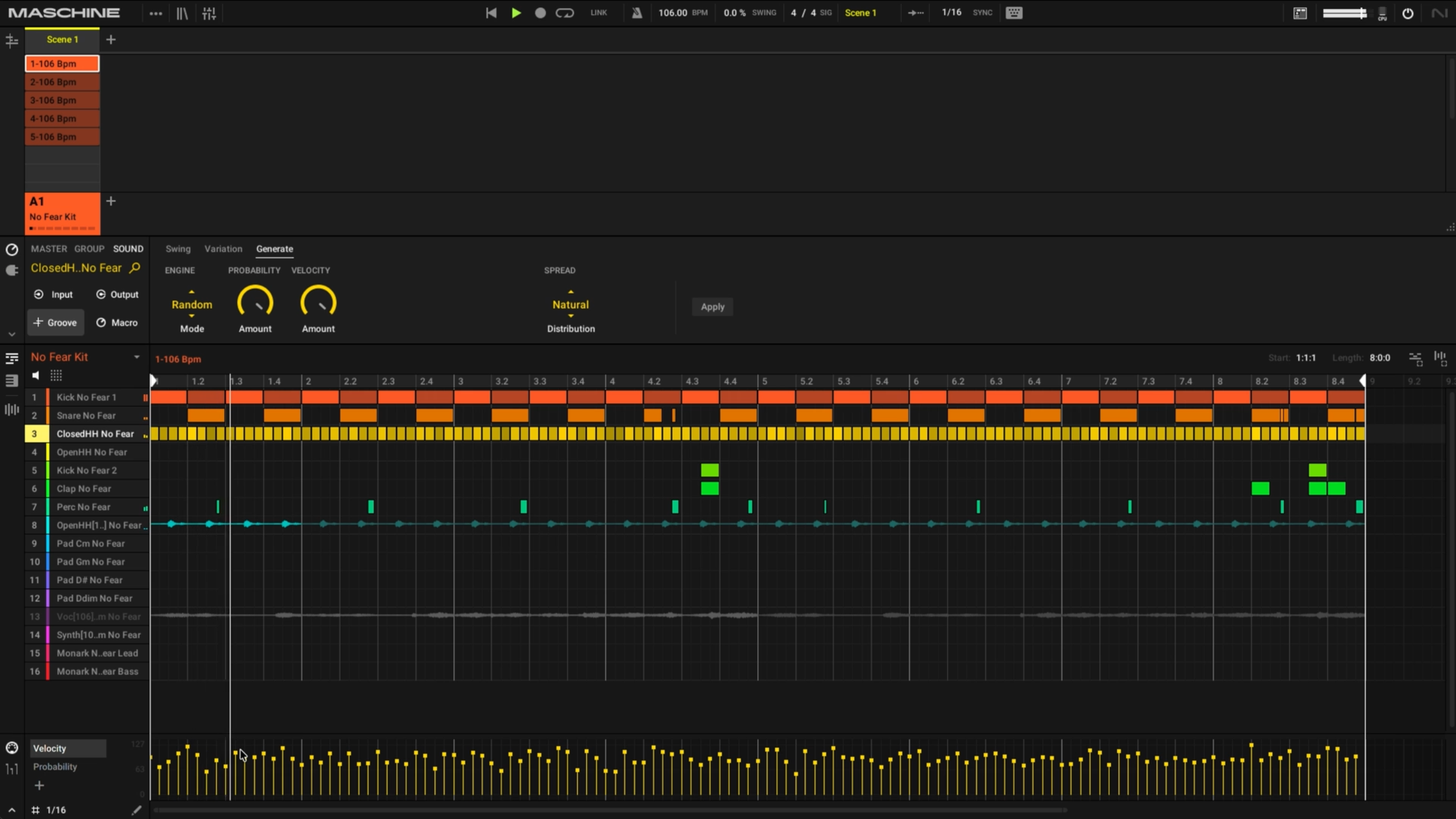
Generates new note patterns algorithmically instead of you stepping them in by hand.
How it works: open the Groove window's new Generate tab and select Random mode.
- Probability controls how many notes land — low values create a sparse pattern, high values fill it in.
- Note Lo / Note Hi set the pitch range for generated notes (linked together so the result stays playable).
- Note Count sets how many notes sound at once — 1 for a single lead line, higher for chords.
- Scale Lock keeps everything generated inside the current key.
- Note length is taken from the step grid setting.
- Fixed Velocity sets a velocity ceiling; the Generate tab's Velocity setting controls how much variation happens underneath that ceiling.
- Hit Apply to write the result into the pattern, then hit it again for a completely fresh result. You stay in control throughout — randomize, adjust the settings, and reapply until it fits the track.
Variations
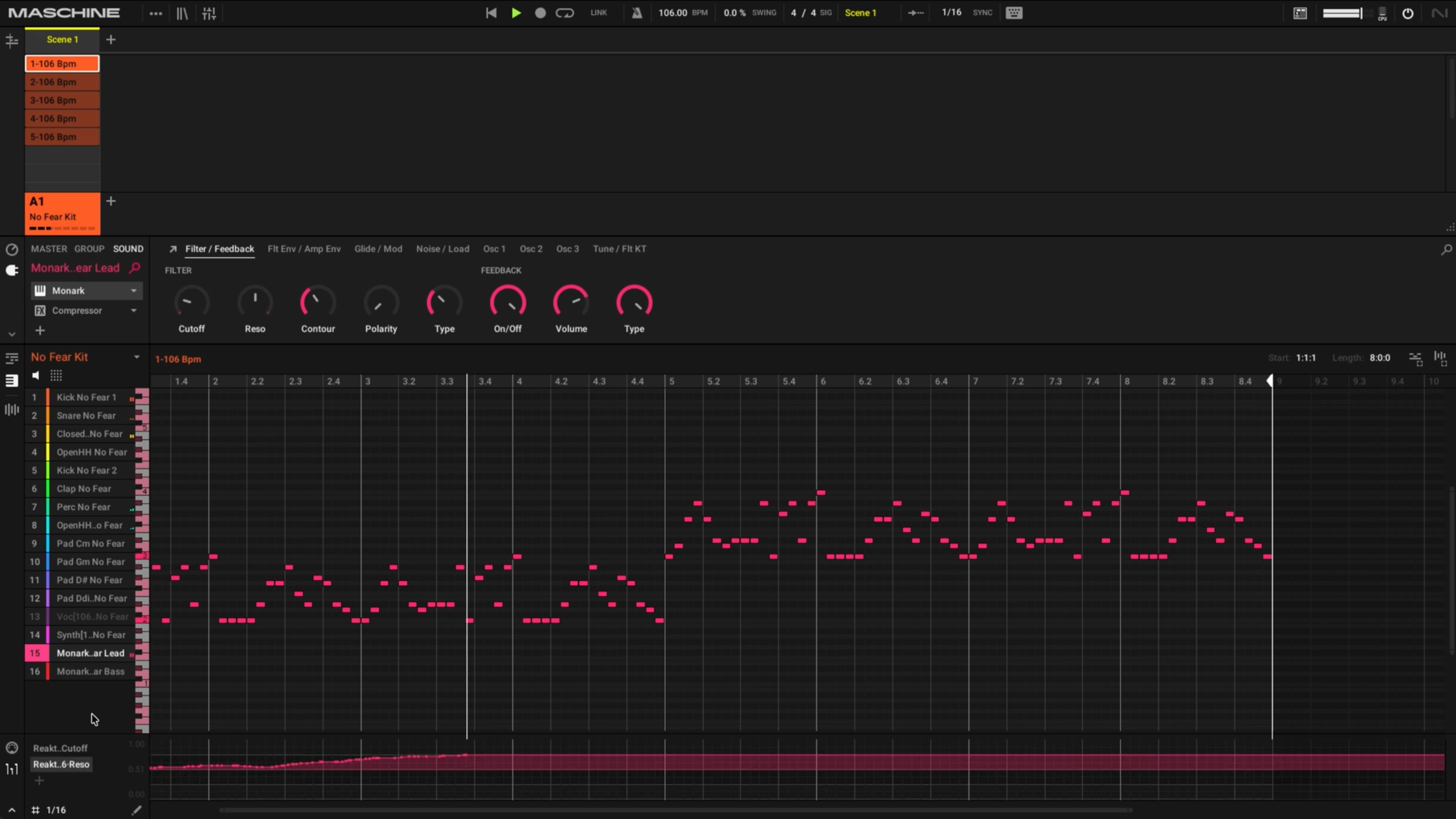
Reshape notes that are already in the pattern, rather than writing new ones.
- Applies to selected notes only, or to the whole pattern if nothing is selected.
- Velocity varies around each note's existing velocity (not a hard reset to a new value).
- Time Shift nudges timing slightly off the grid.
- Note Length Steps changes the base note length; Note Length Variation adds a range of variation around that base.
- Can run live (updates in real time as the pattern plays) or with live mode off (dial in settings, then hit Apply for one fresh variation pass).
Euclidean Sequencer
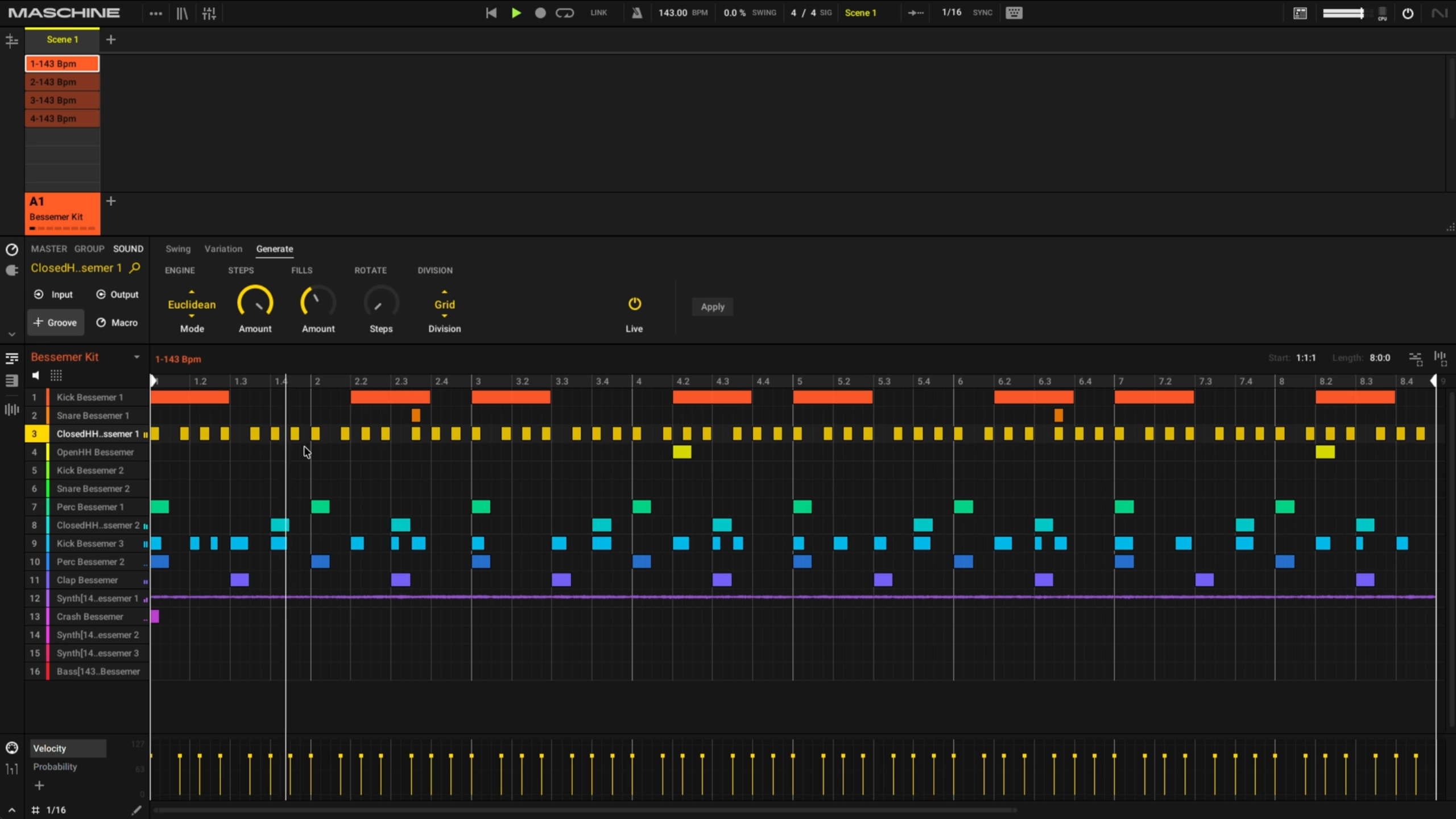
Distributes a set number of hits as evenly as possible across a set number of steps, based on the Euclidean algorithm — the same math that produces many traditional rhythmic patterns worldwide. When the hit count doesn't divide evenly into the step count, the result is a naturally syncopated groove.
- Set Steps (total steps in the pattern) and Fills (number of hits), then hit Apply.
- Some notable combinations: Steps 16 / Fills 5 produces the Bossa Nova hi-hat/bell pattern; Steps 8 / Fills 3 produces the Cuban tresillo (the 3-3-2 grouping foundational to Latin, Caribbean, reggaeton, and trap rhythms).
- In live mode, Rotate shifts the accent point without changing the pattern's shape, and Fills can be adjusted on the fly to make it denser or sparser.
- Division sets the underlying note value (e.g., switching to 32nd notes gives a double-time feel — same shape, twice the speed).
Note Probability
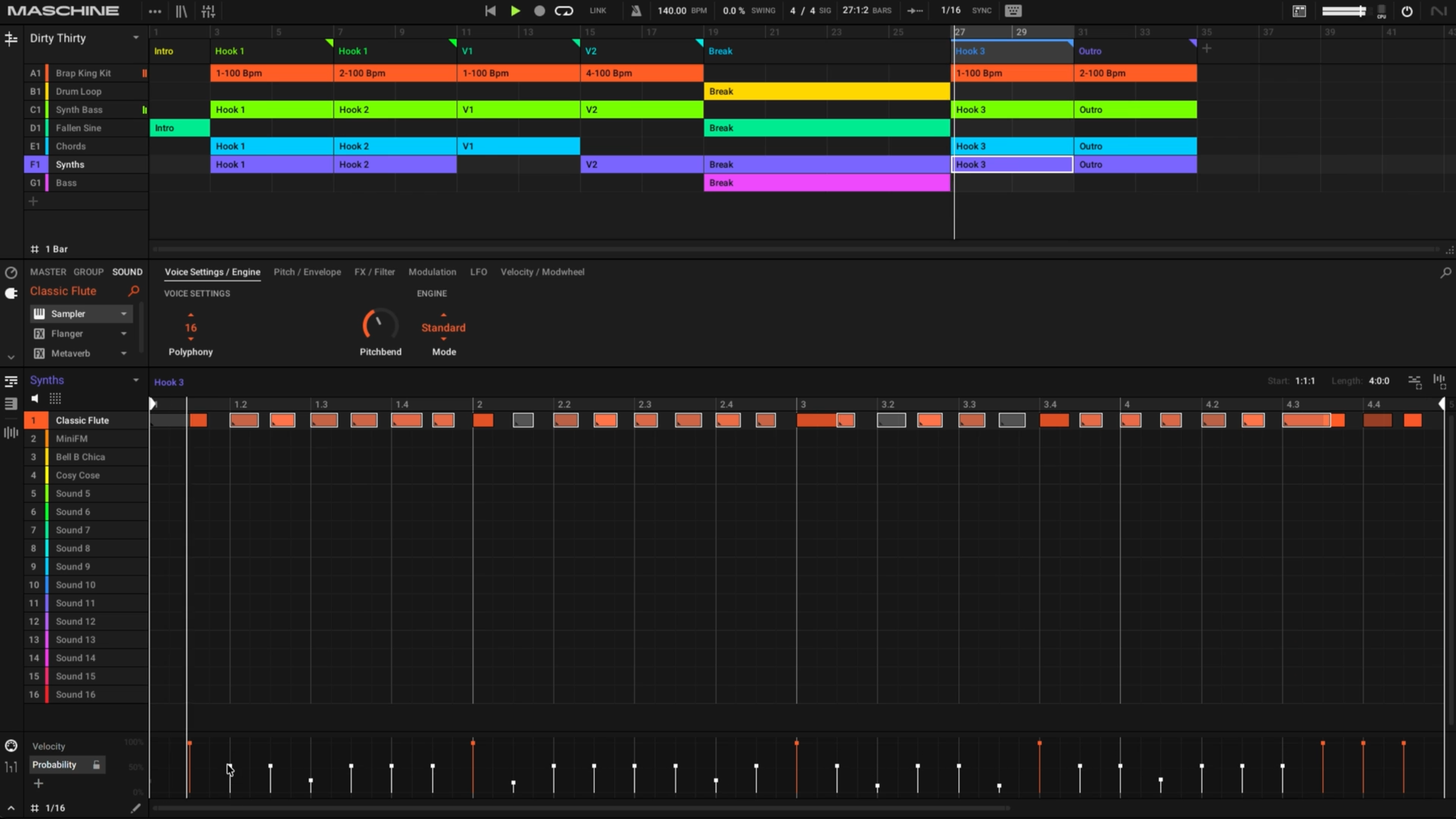
Controls whether a note that's already in the pattern actually plays each time the loop passes over it. (This is distinct from the Probability setting in Generate, which decides whether a note gets written into the pattern in the first place.)
- 100% always plays, 0% never plays, and anything in between is re-rolled on every pass (50% is a coin flip each loop).
- Three ways to set it: drag individual notes down one at a time (or use the Probability button in Step mode on hardware); multi-select a group of notes and drag them together; or switch to the draw tool for a fast, chaotic spread across many notes.
- Lock freezes a probability pass as fixed, editable MIDI once you land on a result you like. You can also resample a locked pass directly to a new sound.
Distribution settings (Even / Natural / Skewed)
Distribution is a shared setting behind both Random generation and Variation — it sets the statistical model used when values are generated or modified. For Random, it governs how Velocity values are distributed; for Variation, it governs Velocity, Note Length, and Timing together.
- Even — values are spread evenly across the full range, so minimum, maximum, and average values occur about equally often. Produces a balanced spread across the dynamic range.
- Natural — values cluster around the center/average of the range (a bell-curve distribution), with fewer extremes. Produces a more controlled, natural-feeling range.
- Skewed — values are biased toward the minimum of the range, so more notes land below average than at or above center. Produces results skewed toward the bottom of the dynamic range.
Frequently Asked Questions
What are the minimum System Requirements for Maschine 3.7?
- macOS 14 (Sonoma) - macOS 26 (Tahoe)
- Windows 10 (21H2) or higher
- Maschine 3.7 is free for all Maschine 3 owners
Will plug-in delay compensation be added, given that this has been a long-standing customer feature request?
It’s on our radar. New 3.7 features can be viewed at the top of this article
What happened to all the feature requests gathered through annual surveys and community threads? Will any of those get implemented?
We are actively listening and have recorded all feature requests submitted through surveys. Maschine is evolving and will see continued support.